Free
PDFsam Basic
The free app to split, merge, extract, rotate and mix PDF files.
Free and open source, no sign-up
- No watermarks, no limits
- Windows, macOS, Linux
- No Internet connection required
- Since 2006
PDFsam (PDF Split and Merge) is a free, open-source desktop app to split, merge, extract, rotate and mix PDF files. Your files never leave your computer.
 Files stay private on your computer
  No watermarks, no limits
  Free and open source
 Pick the right version for you
Free
The free app to split, merge, extract, rotate and mix PDF files.
Free and open source, no sign-up
Best value
More than 25 tools to visually organize pages, compress, crop, clean metadata, flatten, resize and more.
14-day free trial, no sign-up to try
Most powerful
The complete PDF editor to edit, annotate, create and fill forms, convert, sign and much more.
Free PDF viewer and virtual printer, registration required

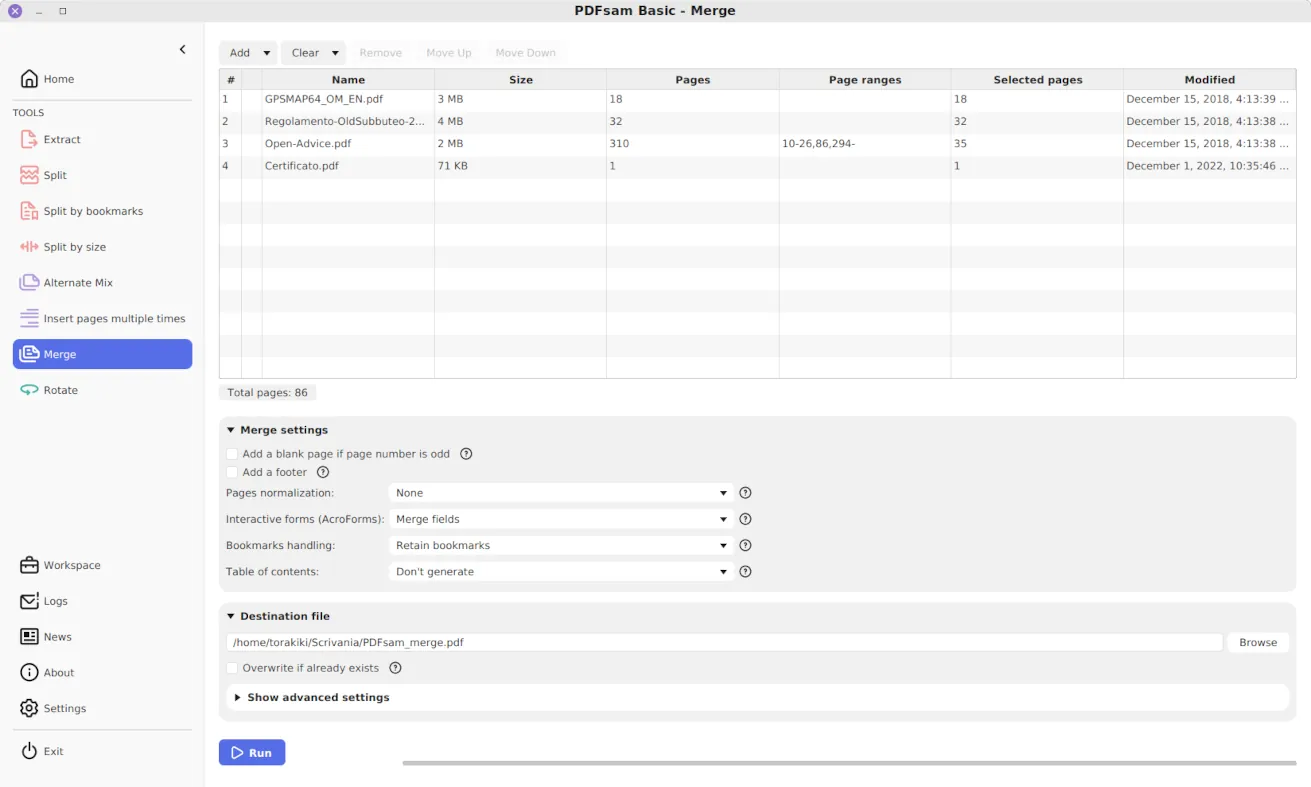
PDFsam Basic works entirely on your computer, no Internet required, no file uploads, no watermarks and no file size limit. Merge PDF files, split them, extract pages, rotate them. Mix two files taking pages alternatively from each, the tool to use if you have a single-sided scanner.
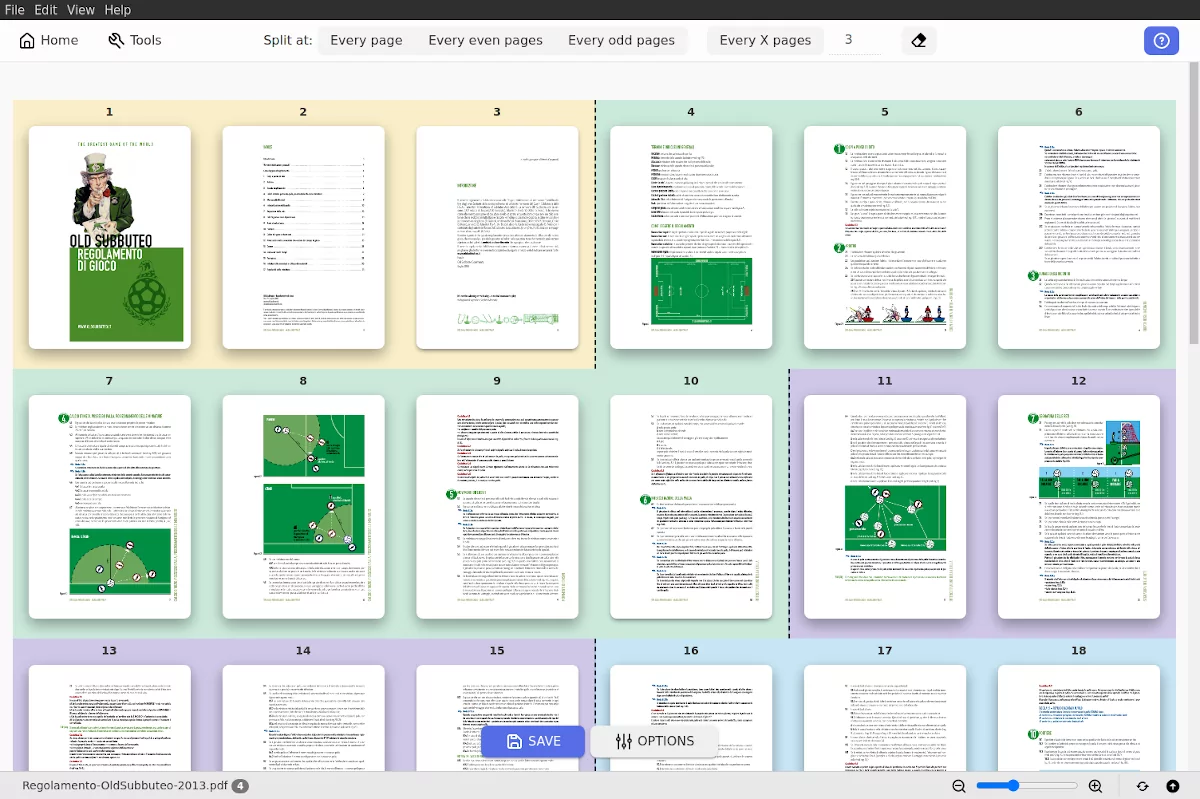
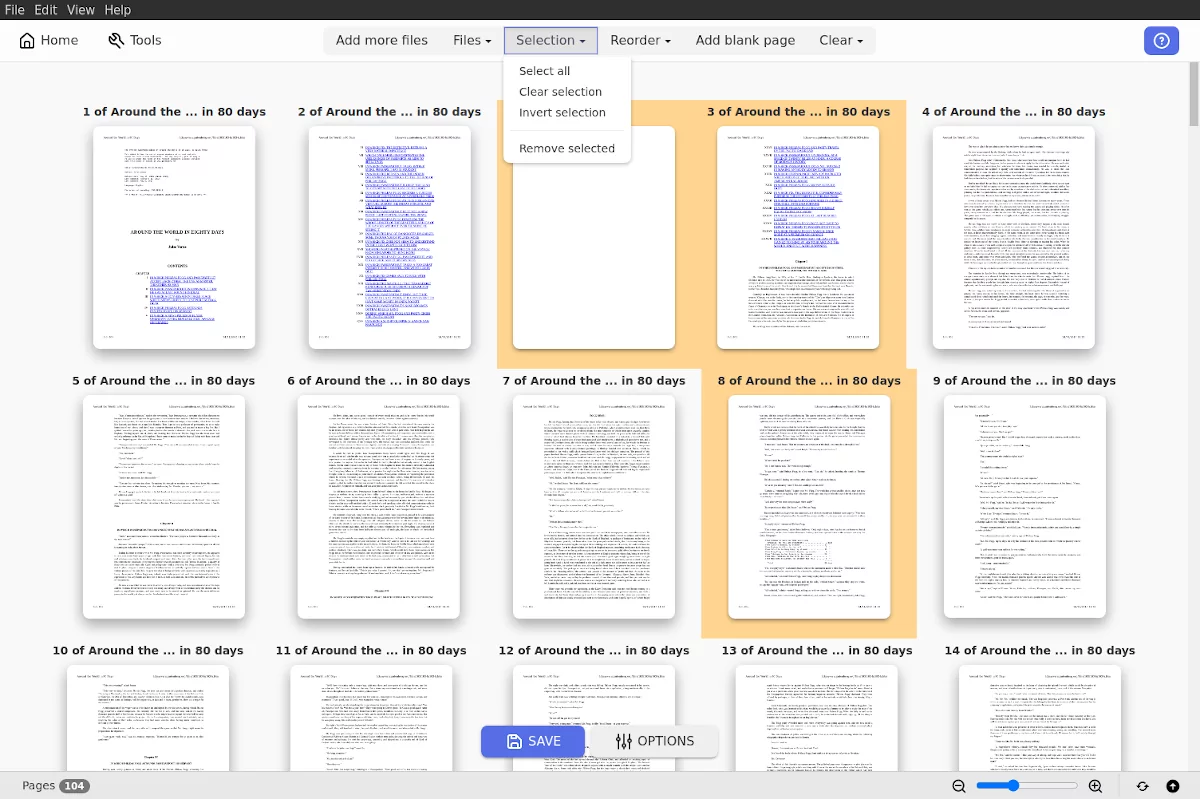
Compress a PDF that is too big to email or a whole batch of them at once. Delete or extract just the pages you need, crop away the margins, split a PDF every time the invoice number changes, protect a file with AES 256 encryption, clean its metadata before you share it. PDFsam Visual has more than 25 tools. It works entirely offline. Available for Windows, macOS and Linux. Try it free for 14 days.
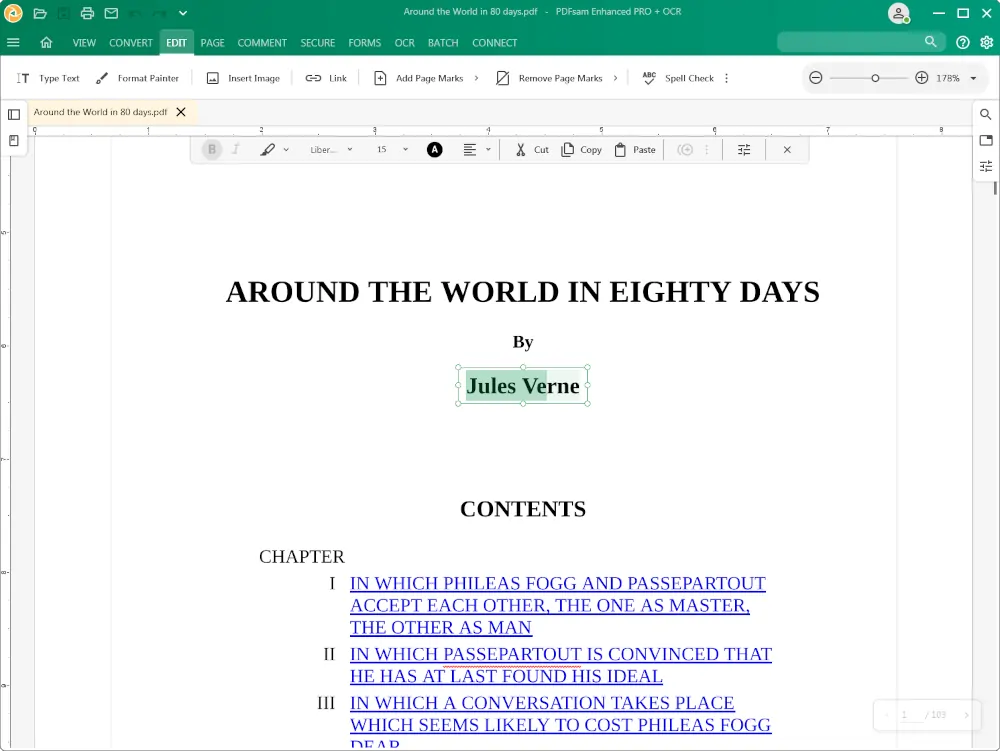
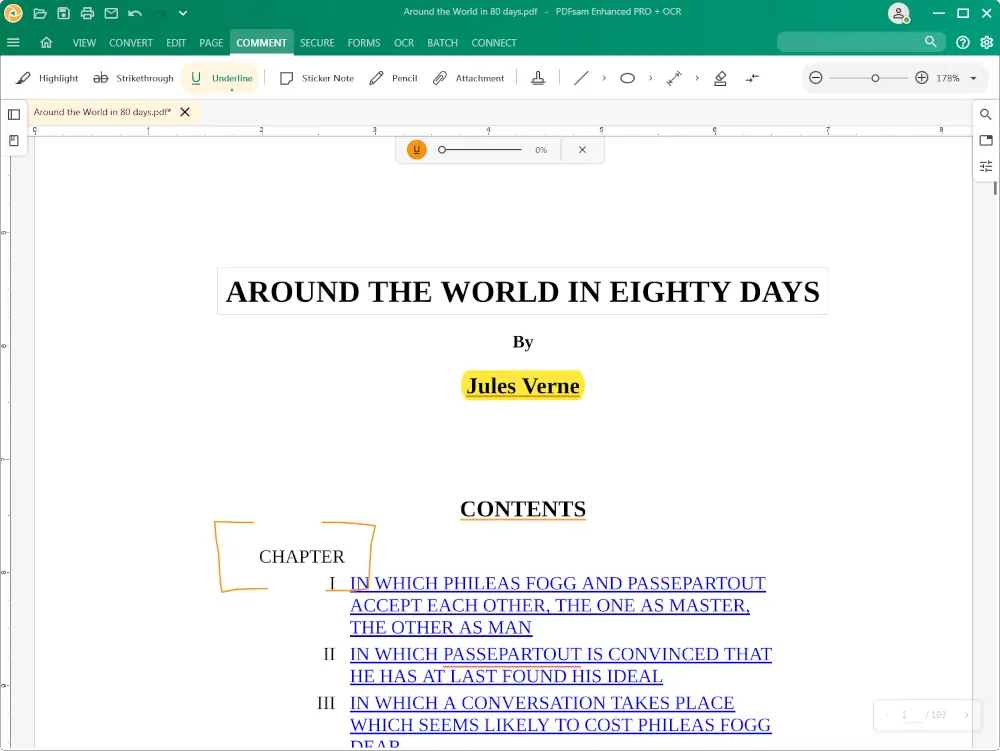
PDFsam Enhanced is a complete PDF editor for Windows. Edit text and images, convert, insert and watermark pages, annotate, fill and create forms, add a digital signature and secure your files and more. It is free to view and create PDFs from 300+ file formats, registration required.
PDFsam Basic handles the everyday PDF jobs, split, merge, extract, rotate and mix, by typing page numbers and ranges. PDFsam Visual goes further with more than 25 tools to compress, crop, clean metadata and more, and many of them work on page thumbnails so you click pages instead of typing numbers. PDFsam Enhanced covers most of the same ground and adds a full editor, OCR, fillable forms, annotations, digital signatures and a PDF reader.
PDFsam Basic is free and open source under the AGPL, with no watermarks and no file size limit. PDFsam Visual is free to try for 14 days with no sign-up, then it needs a license. PDFsam Enhanced is free to view and create PDFs, registration required, and a yearly subscription unlocks the full editor.
No. All three are desktop applications that run on your computer, so the files you work on stay on your machine and are never uploaded to a server. This is the main difference from online PDF tools, which need you to send your PDF documents to their server.
Use PDFsam Visual, where many tools work on page thumbnails. For example, in Organize you drag pages to reorder them, in Split you click the pages you want to split at, in Delete you click the pages you want to remove. That is where the name Visual comes from, you see the document while you decide.
No, PDFsam Visual has no PDF reader. It shows page thumbnails and previews inside its tools so you can see what you are working on, but it does not open a document for reading. The free PDF reader is part of PDFsam Enhanced and it opens PDF, ePub and comic book files.
PDFsam Basic and PDFsam Visual run on Windows, macOS and Linux. PDFsam Enhanced runs on Windows only. All three are desktop applications, you download and install them, there is no browser version.
PDFsam Visual is sold both ways. You can buy a perpetual license with a single payment or pay a subscription, and both include every tool. PDFsam Enhanced is different, it is a yearly subscription only. PDFsam Basic is free.
Yes. PDFsam Basic can be used in your company for free. PDFsam Visual and PDFsam Enhanced both need a license per user and both offer volume discounts. Contact us about PDFsam Visual or PDFsam Enhanced volume pricing.
More questions? Read the full FAQ.